

G-CPU Monitor
A complete dashboard for everything inside your phone — CPU, RAM, OS, sensors, storage, battery, network, camera. Plus widgets that bring it to the home screen.


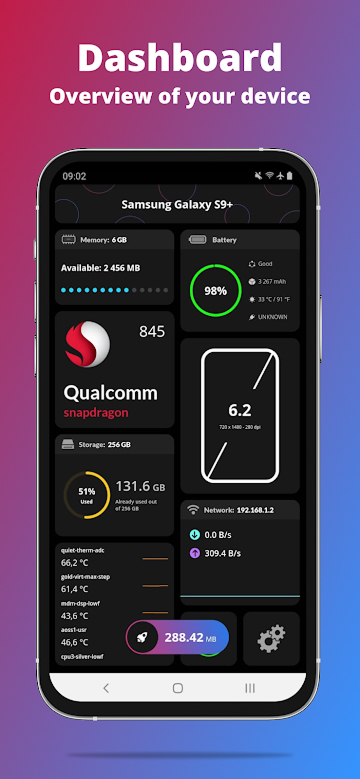
The full dashboard.
G-CPU is a free system monitor and device-info app for iPhone and Android with over 45,800 reviews. It shows every spec inside your phone — CPU, RAM, chipset, sensors, battery, network, storage — with home-screen widgets, benchmark tests and a built-in compass.
Every spec, in one place.
G-CPU is a simple, powerful, free system monitor that gives you complete information about your mobile device or tablet — with advanced interfaces and home-screen widgets for both iPhone and Android. It is the most-downloaded product in the AI Builder catalogue, with more than 45,800 reviews on Google Play. Looking for an ad-free alternative? Try our newer CPU-Kit.
What's inside.
- Dashboard: RAM, internal & external storage, battery, CPU, sensors, network and tests in one screen.
- Device: name, model, manufacturer, board, hardware, brand, build fingerprint.
- System: OS, OS type, OS state, version, build number, multitasking, initial OS, max supported OS, kernel info, boot time, uptime.
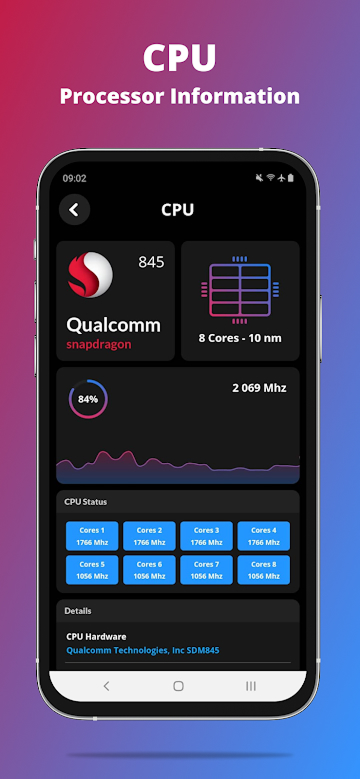
- CPU: load percent, chipset name, launched, design, manufacturer, max clock rate, process, cores, instruction set, GPU name & GPU cores.
- Battery: health, level, status, power source, technology, temperature, voltage & capacity.
- Network: IP address, gateway, subnet mask, DNS, lease duration, interface, frequency & link speed.
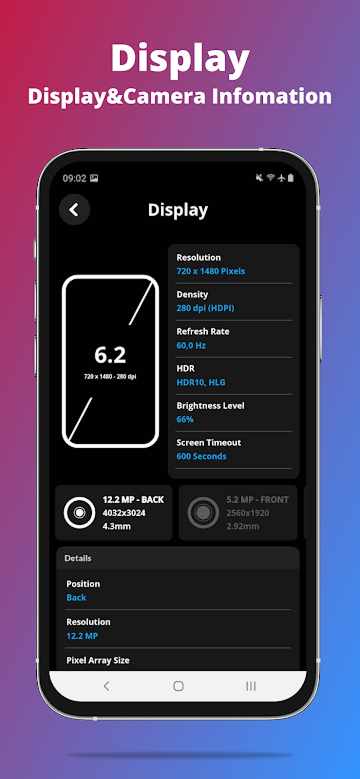
- Display: resolution, density, physical size, supported refresh rates, brightness level & mode, screen timeout, orientation.
- Memory: RAM, RAM type, RAM frequency, ROM, internal & external storage.
- Sensors: true heading, acceleration, altimeter, raw magnetic, magnetic, rotate.
Device tests & benchmarks.
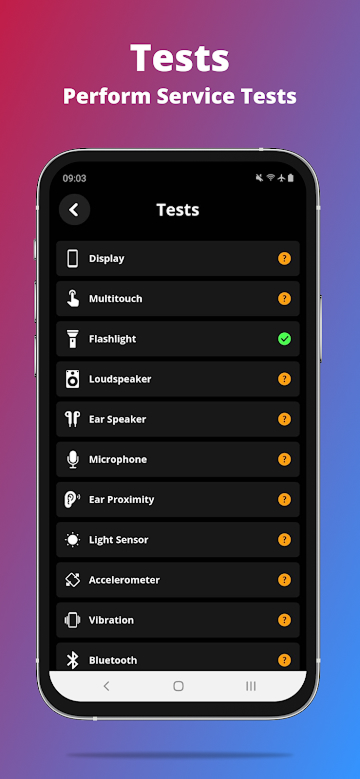
Benchmark your device with manual and automatic tests:
Display test
Multi-touch grid and refresh-rate verification.
Flashlight & vibration
Confirm haptics and the LED torch work end-to-end.
Audio test
Loudspeaker, ear speaker, microphone clarity.
Wi-Fi & sensors
Fingerprint reader, proximity, accelerometer, volume buttons.
Widgets for every home screen.
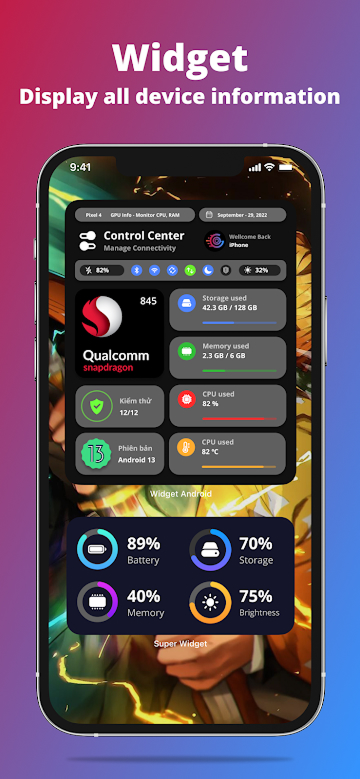
Quick-glance widgets for the iOS Control Center, memory, battery, network and storage. A built-in compass too — because if you're already running a system monitor, you may as well never get lost again.
Reports, in your format.
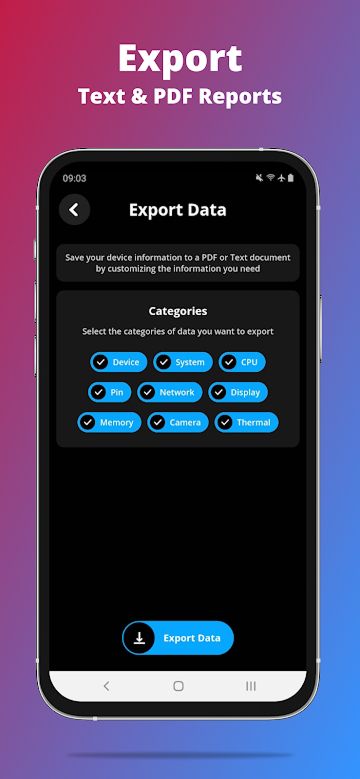
Export customisable reports as plain text or PDF. Perfect for selling a phone, opening warranty claims, or auditing devices at scale.
G-CPU Monitor, answered.
What is G-CPU Monitor?
G-CPU is a free system monitor and device-info app for iPhone and Android. It tells you everything inside your phone — chipset, CPU, GPU, RAM, ROM, sensors, battery, network, storage — and surfaces it on the home screen via widgets.
Is G-CPU free?
Yes. G-CPU is free to download and use on both App Store and Google Play. There is an optional in-app purchase to remove ads on the Android version.
How many people use G-CPU?
Over 45,800 Google Play reviews at an average of 4.7 stars, plus 4.9 stars on the App Store. It is the most popular product in the AI Builder catalogue.
What can the G-CPU widget show?
The widget set covers CPU usage, RAM, storage, battery, network and a compass. On iOS the widgets work in the Today View and on iPhone & iPad home screens; on Android they support every modern launcher.
Can G-CPU benchmark or test my phone?
Yes. G-CPU includes manual and automatic device tests: display, multi-touch, loudspeaker, ear speaker, microphone, flashlight, vibration, Wi-Fi, accelerometer, fingerprint, proximity and volume buttons.
Does G-CPU work on the latest iPhone and Android phones?
Yes — the most recent release adds support for the iPhone 17 series and iPad Air M4, plus updated chipset detection for Pixel and Galaxy flagships.
Can I export a device report from G-CPU?
Yes. Generate a customisable plain-text or PDF report in seconds. Perfect for selling a phone, opening warranty claims, or auditing devices at scale.